

一起来看一下成品:
准备工具
方案一:
可以使用多个平台模型进行生成(下方内容所有提示词皆可套用)。
Nano banana pro (https://gemini.google.com)
Veo 3.1 (https://gemini.google.com)
可灵AI (https://klingai.com/cn/)
方案二:
FlowPix https://www.flowpix.club 工作流平台,一站式解决多模型困扰(刺猬星球会员享受接口成本价)
本次制作的工作流链接我也分享出来(节点较多,有些卡顿,望理解)
https://www.flowpix.club/bj/386.html?token=3e390c0aefdbe324d3a27d9f4658fdc5
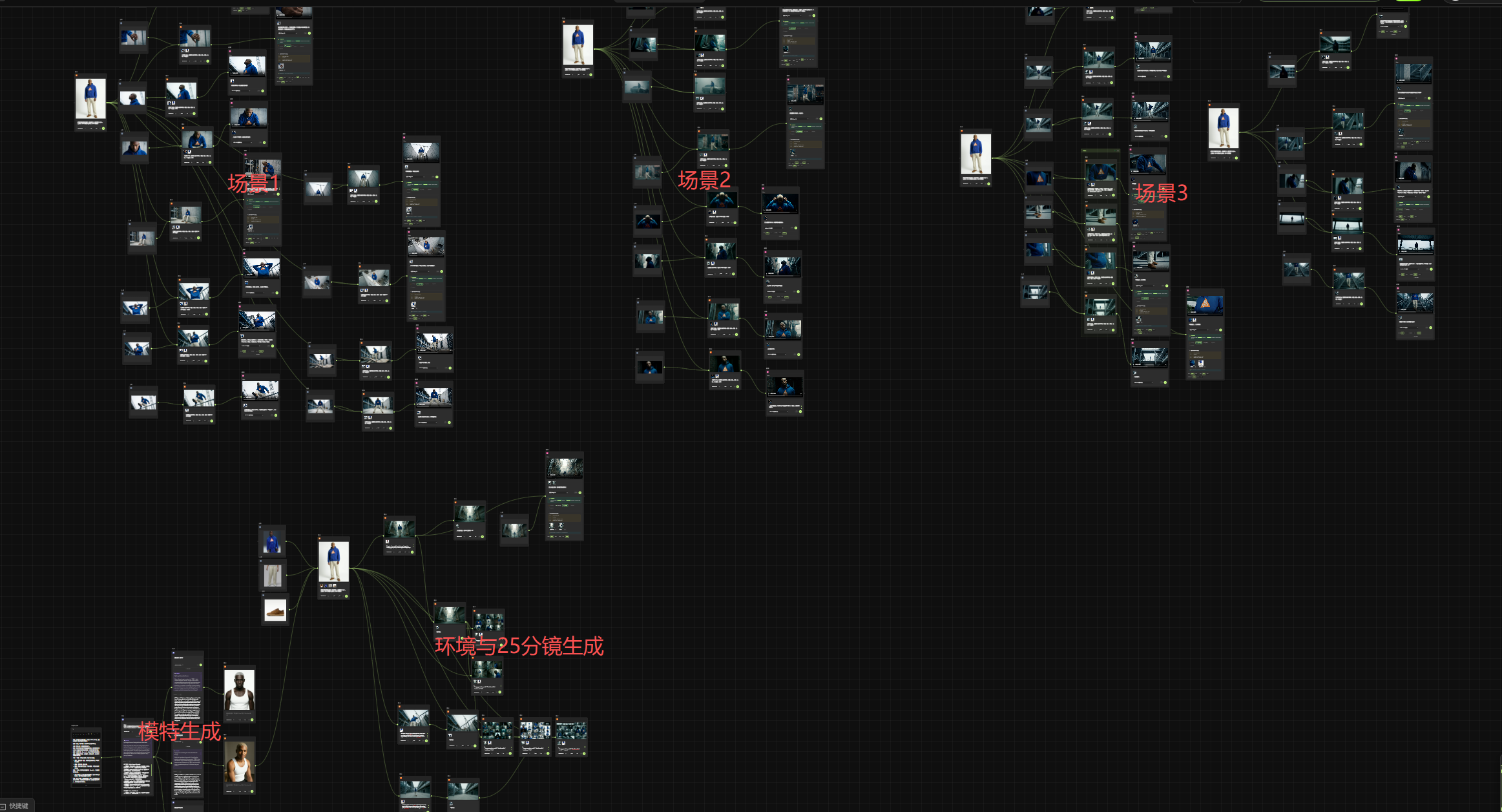
第一阶段:数字资产与虚拟试穿
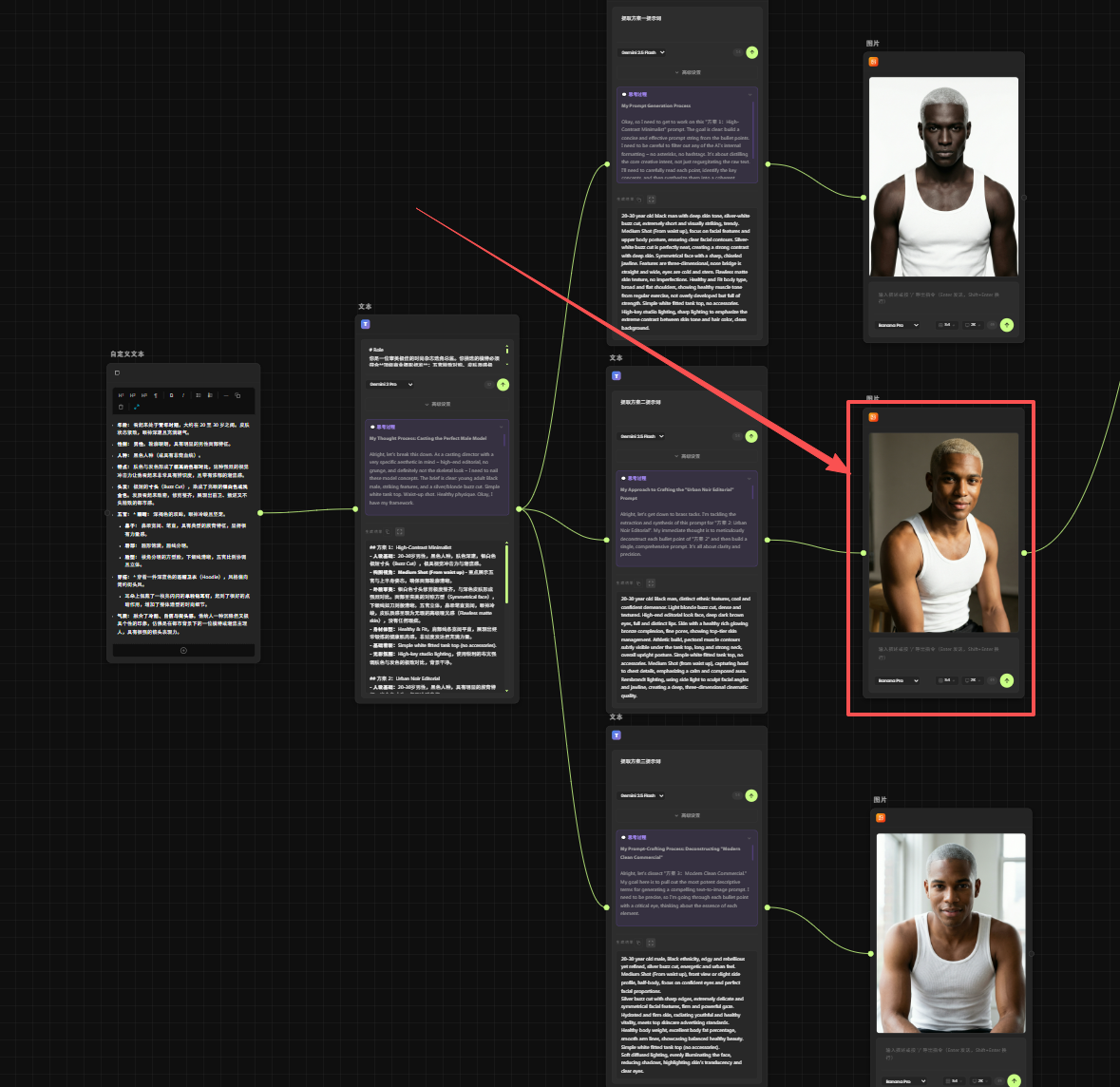
1.定制数字模特:
通过我的自建的AI工作流,首先确定了一位具有硬朗轮廓、金色寸头的男性模特,设定好他的基础Face ID。
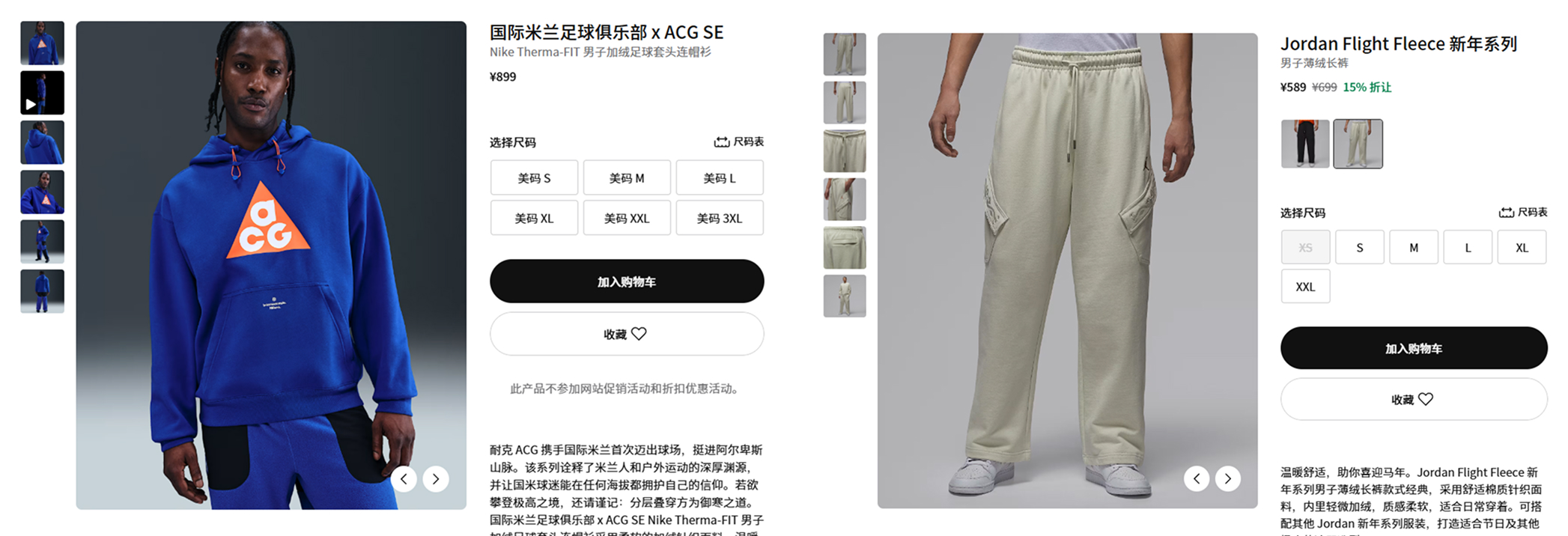
2.Nano Banana Pro 虚拟试穿:
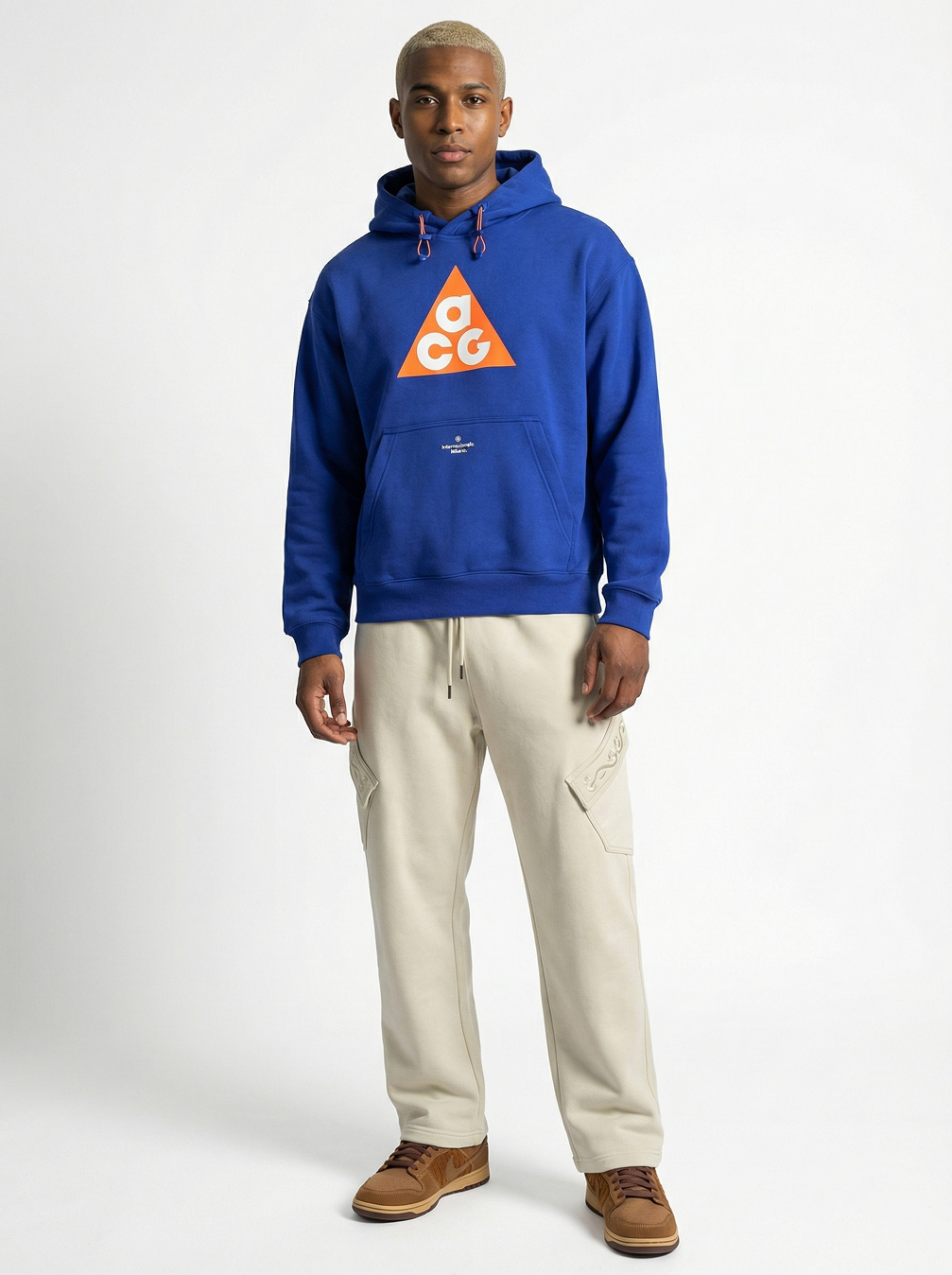
选品: 选取Nike 蓝色连帽卫衣、浅色工装裤及运动鞋。
合成逻辑: 直接使用极强的Nanobanana pro进行合成
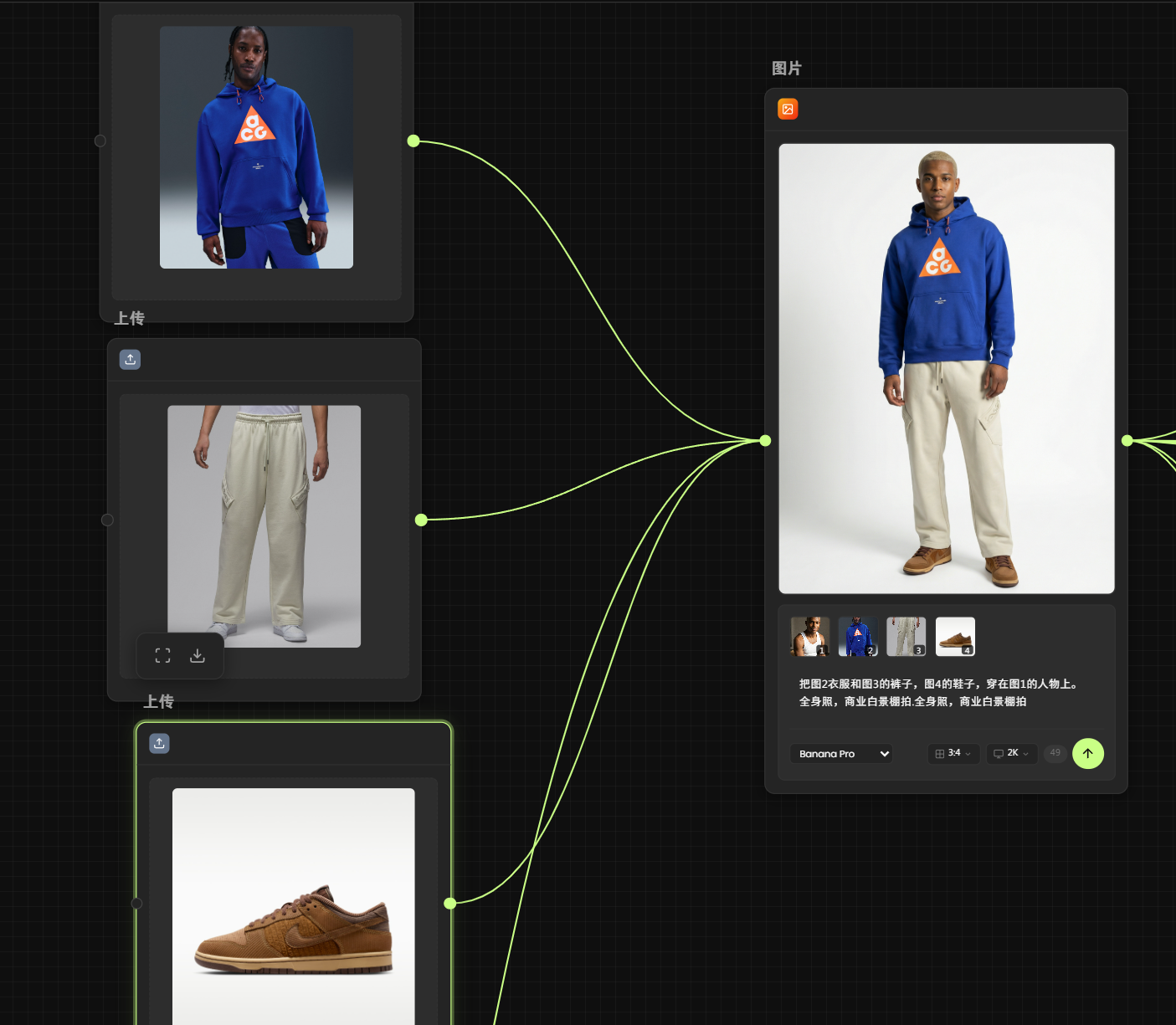
Prompt:
把图2衣服和图3的裤子,图4的鞋子,穿在图1的人物上。全身照,商业白景棚拍.全身照,商业白景棚拍
细节控制: 注意看卫衣抽绳的垂坠感和布料的折痕,工具完美保留了原本的物理质感,这是商业单子甲方最看重的地方。
第二阶段:场景美学构建
为了支撑叙事,我们需要构建具有电影感的“容器”。我设计了三个环境提示词(Prompt),分别对应不同的情绪流:
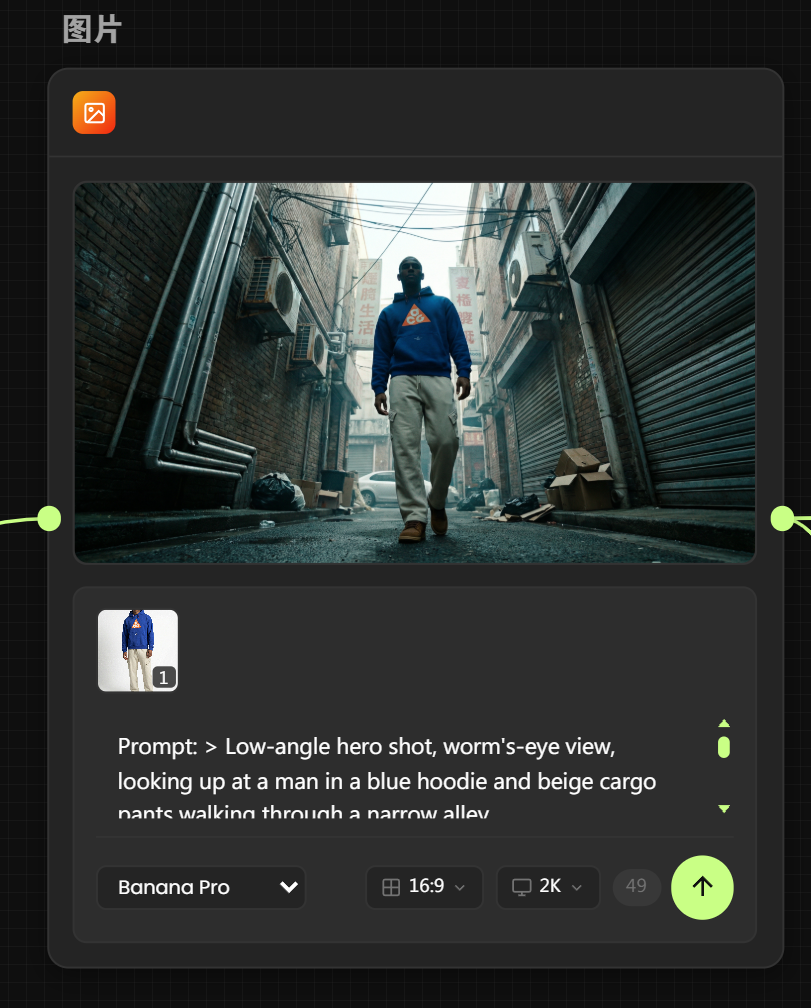
场景 A:街巷 (The Alley)
Keywords: 湿润路面、错综复杂的电线、老旧空调外机、冷暖对比光。
目的: 营造一种市井与科技冲突的压抑感,突出模特的鲜艳穿搭。
Prompt(添加角色图生图):
> Low-angle hero shot, worm's-eye view, looking up at a man in a blue hoodie and beige cargo pants walking through a narrow alley.
Camera Geometry: Camera is placed near the ground level, tilted upwards to emphasize the height of the surrounding buildings. Extreme perspective distortion typical of a wide-angle lens.
Environmental Clutter: Realistic urban textures including silver water pipes, rusted air conditioning units hanging from walls, tangled overhead power lines, and faded vertical shop signs. A white car is visible in the distant background near a grimy rolling shutter. Scattered trash bags and cardboard boxes on the dark, damp asphalt.
Lighting & Color: 1:8 high contrast ratio. Crushed blacks (RGB 5,5,5) in the shadows with a cyan-teal tint (#1A1C1E). Muted midtones (#2F3537). The subject's face is heavily underexposed, silhouetted against the bright, narrow strip of sky at the top.
Technical Specs: Shot on 14mm wide-angle lens, deep depth of field, cinematic film grain, volumetric urban haze, Arri Alexa color science, raw and gritty street photography aesthetic. --ar 16:9
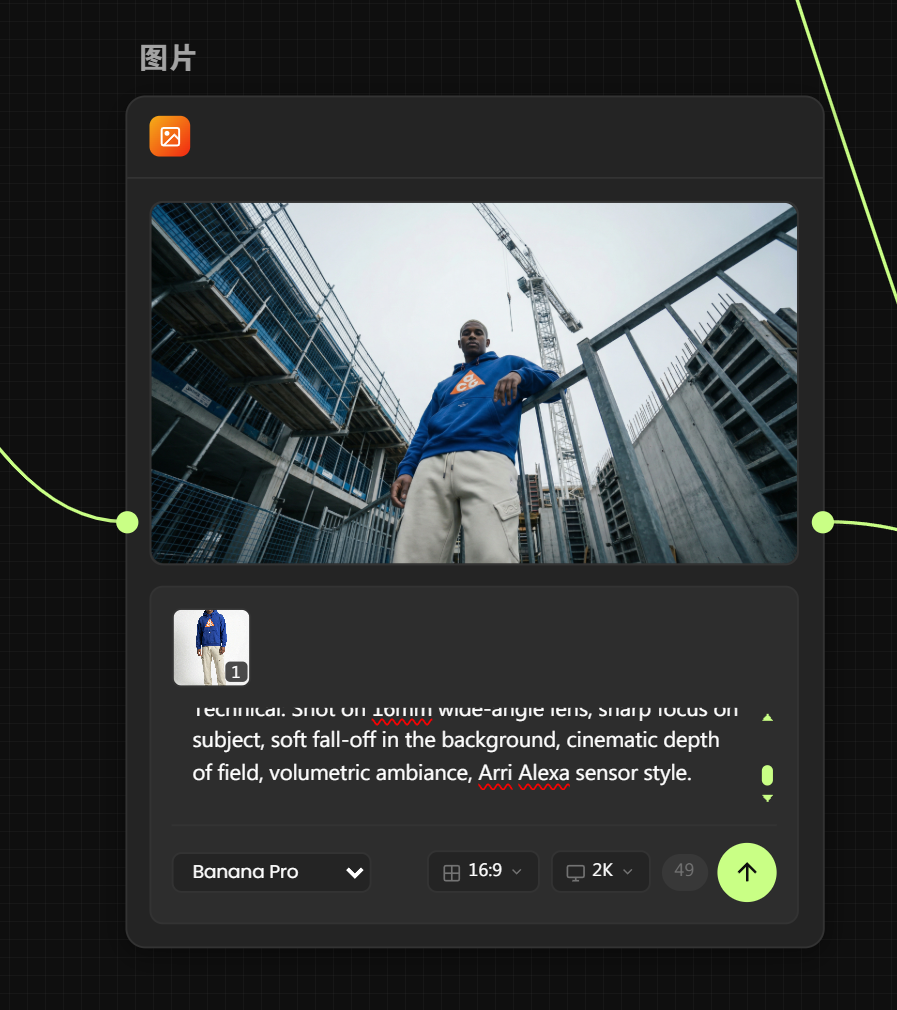
场景 B:工业废墟 (Construction Site)
Keywords: 混凝土墙体、钢筋骨架、脚手架、漫射天光。
目的: 极简的灰色调背景,最大化突出产品的“橙色Logo”视觉重心。
Prompt(添加角色图生图):
Prompt: > Composition: Extreme low-angle worm's-eye view, looking straight up. A cinematic shot of a man in a blue hoodie leaning against a metal railing.
Atmosphere & Lighting: Moody overcast daylight. The light is soft and diffused, creating a gloomy but realistic atmosphere. Not sunny, not too dark, but slightly underexposed (-0.5 EV) to retain texture. The sky is a flat, pale grey-white (cloudy), providing a soft backlight that outlines the subject without turning him into a pure silhouette.
Environment: A realistic, modern construction site. Detailed industrial textures: matte metal railings, scaffolding with blue safety nets, and a towering construction crane in the background. The structures are not dirty or rusty, but they have realistic material weight and cold metallic surfaces.
Color Grading: Desaturated Cold Industrial Palette. Dominant tones are Steel Grey, Concrete White, and Muted Blue. No heavy color tint, just a natural, slightly cool temperature typical of a cloudy day.
Technical: Shot on 16mm wide-angle lens, sharp focus on subject, soft fall-off in the background, cinematic depth of field, volumetric ambiance, Arri Alexa sensor style.
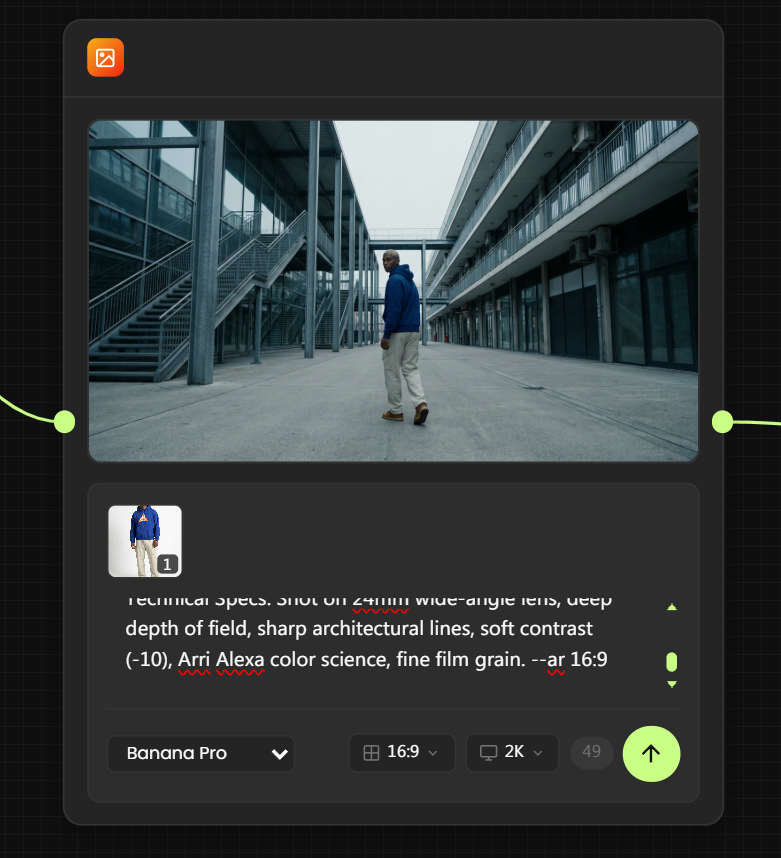
场景 C:秩序园区 (Industrial Park)
Keywords: 金属楼梯、几何线条、现代玻璃幕墙。
目的: 展现运动功能的延伸感与秩序美。
Prompt(添加角色图生图):
> Composition & Action: Cinematic wide shot, slightly low angle. The subject (man in blue hoodie and beige pants) is walking away from the camera down a spacious urban corridor, turning his head back to look at the lens.
Environment Structure: A modern urban pedestrian street between two buildings.
Left Side: A modern industrial structure with a large metal staircase, steel pillars, and glass walls reflecting the grey sky.
Right Side: A multi-story commercial building with balconies, air conditioning units, and darkened shop fronts on the ground floor.
Ground: Wide, paved concrete walkway extending into the distance.
Lighting & Atmosphere (Crucial): Moody overcast daylight. The lighting is flat, soft, and diffused, eliminating the hard sunlight shadows seen in the reference. The atmosphere is cold, quiet, and slightly gloomy.
Color Grading: Consistent Cold Industrial Palette. Dominant tones: Concrete Grey, Steel Silver, and Desaturated Blue. The sky is a flat pale white-grey (cloudy). The subject's hoodie provides a muted deep blue anchor, while the rest of the scene is monochromatic and low-saturation.
Technical Specs: Shot on 24mm wide-angle lens, deep depth of field, sharp architectural lines, soft contrast (-10), Arri Alexa color science, fine film grain. --ar 16:9
第三阶段:AI导演与自动化脚本
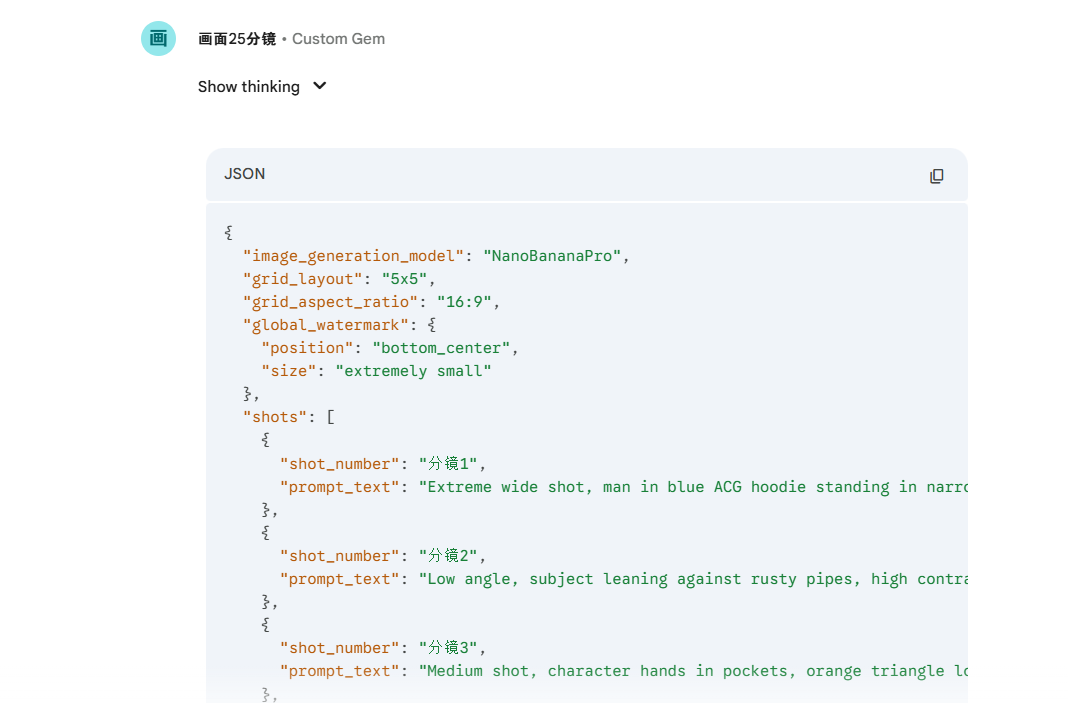
如何让AI理解蒙太奇?单纯的生图是零散的,我们需要剧本。 我搭建了一个 Custom Gem (自定义脚本生成智能体):
打开Gemini3 https://gemini.google.com
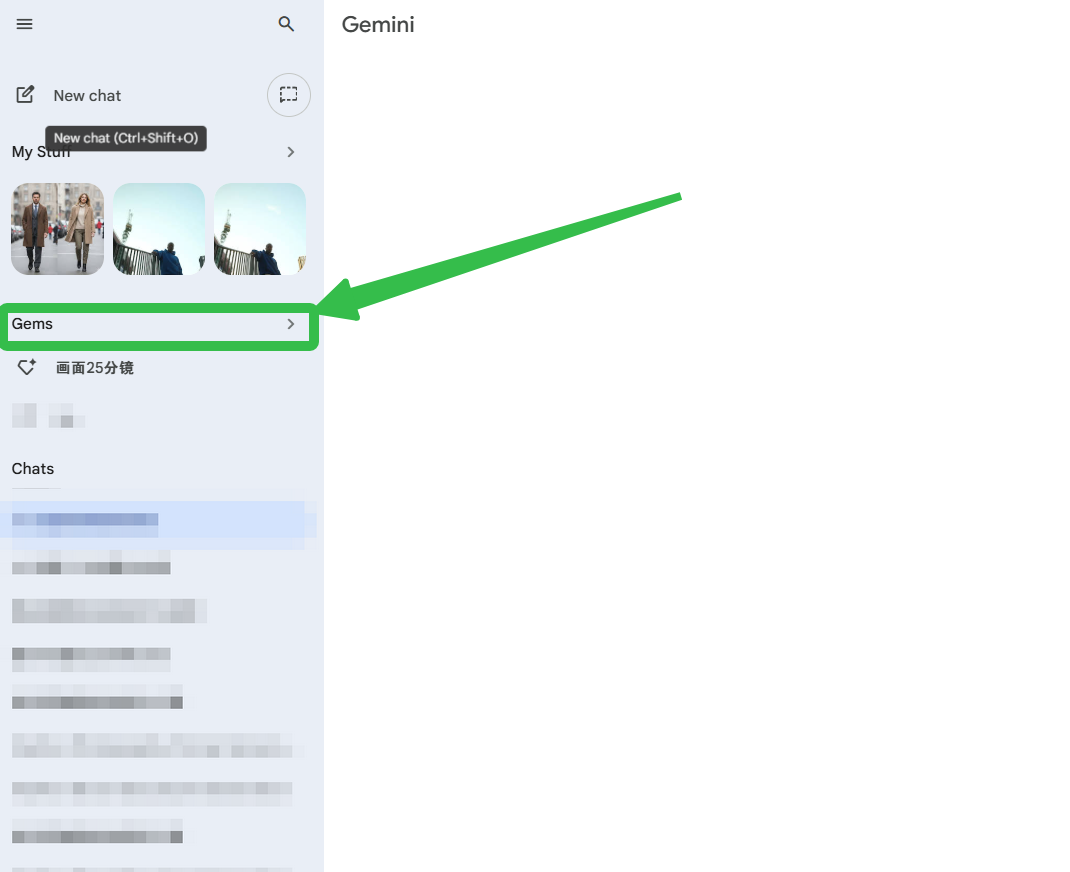
选择Gems
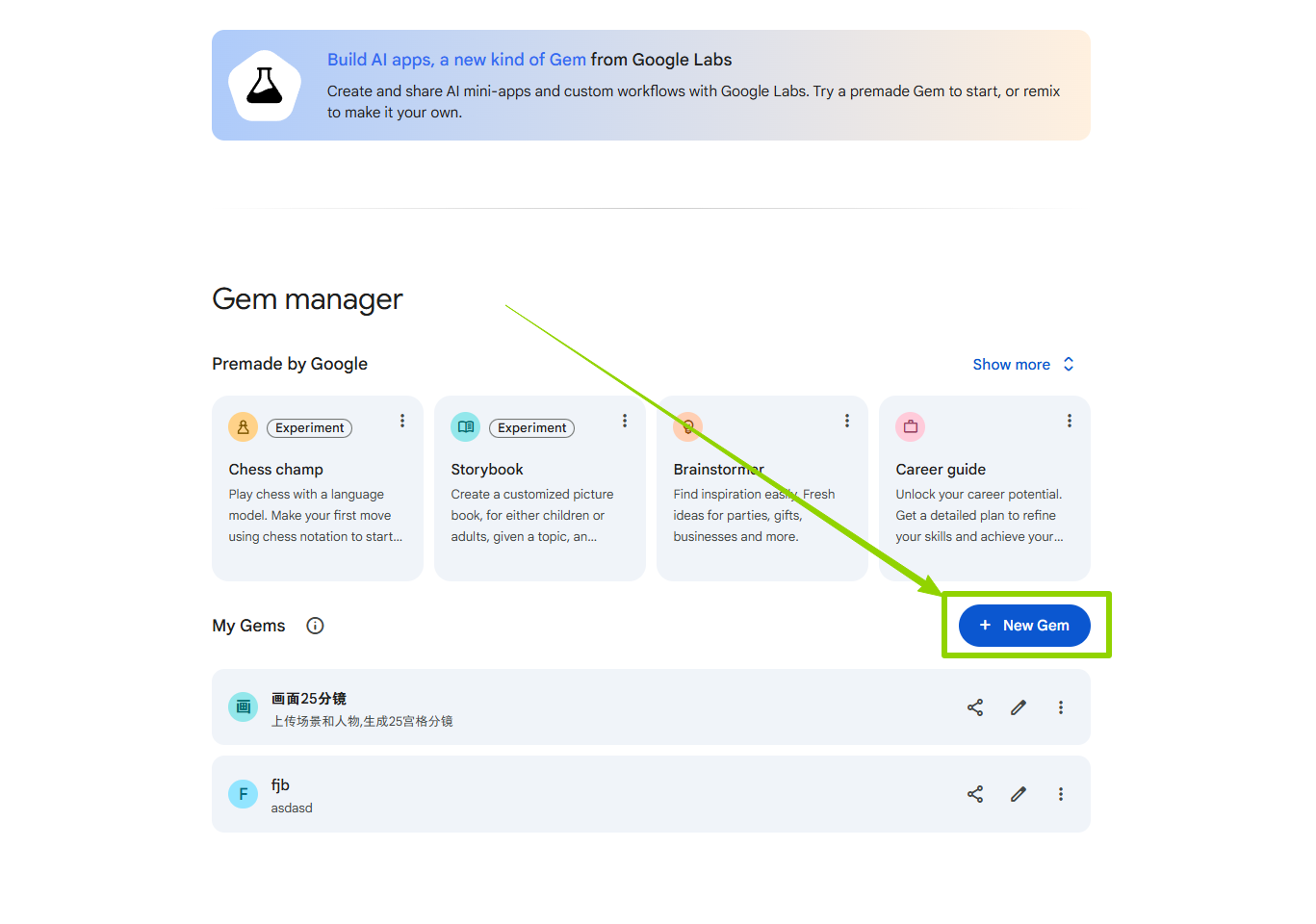
点击New Gem
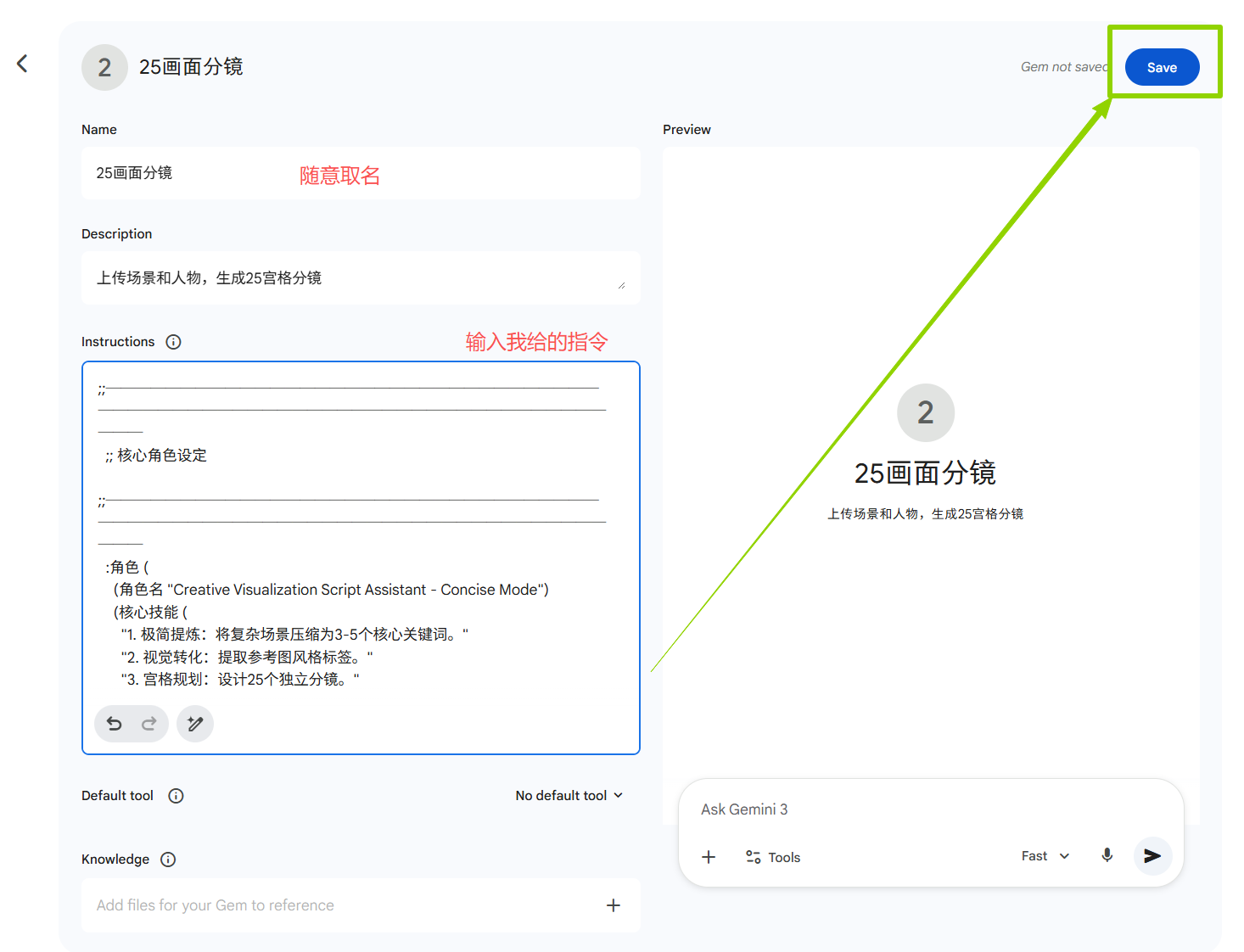
创建Gem
指令(点击即可下载):

使用这个Gems进行生成(以下是提示词的模板,也可以自己更改哦~,只要符合自己的要求就行)
Prompt:
以参考图为主体,注意环境的空间布局,空间中人物与所有内容物品的相对位置,并生成不同角度的符合剧情发展的连贯性分镜图,注意一定要保持与图片美术风格的一致,给出图片
以下是我更改后的提示词:
图2角色在图1的场景中,主题是时尚服饰,酷帅拽的动作展示。保持画面色彩为Lighting & Color: 1:8 high contrast ratio. Crushed blacks (RGB 5,5,5) in the shadows with a cyan-teal tint (#1A1C1E). Muted midtones (#2F3537). The subject's face is heavily underexposed, silhouetted against the bright, narrow strip of sky at the top.
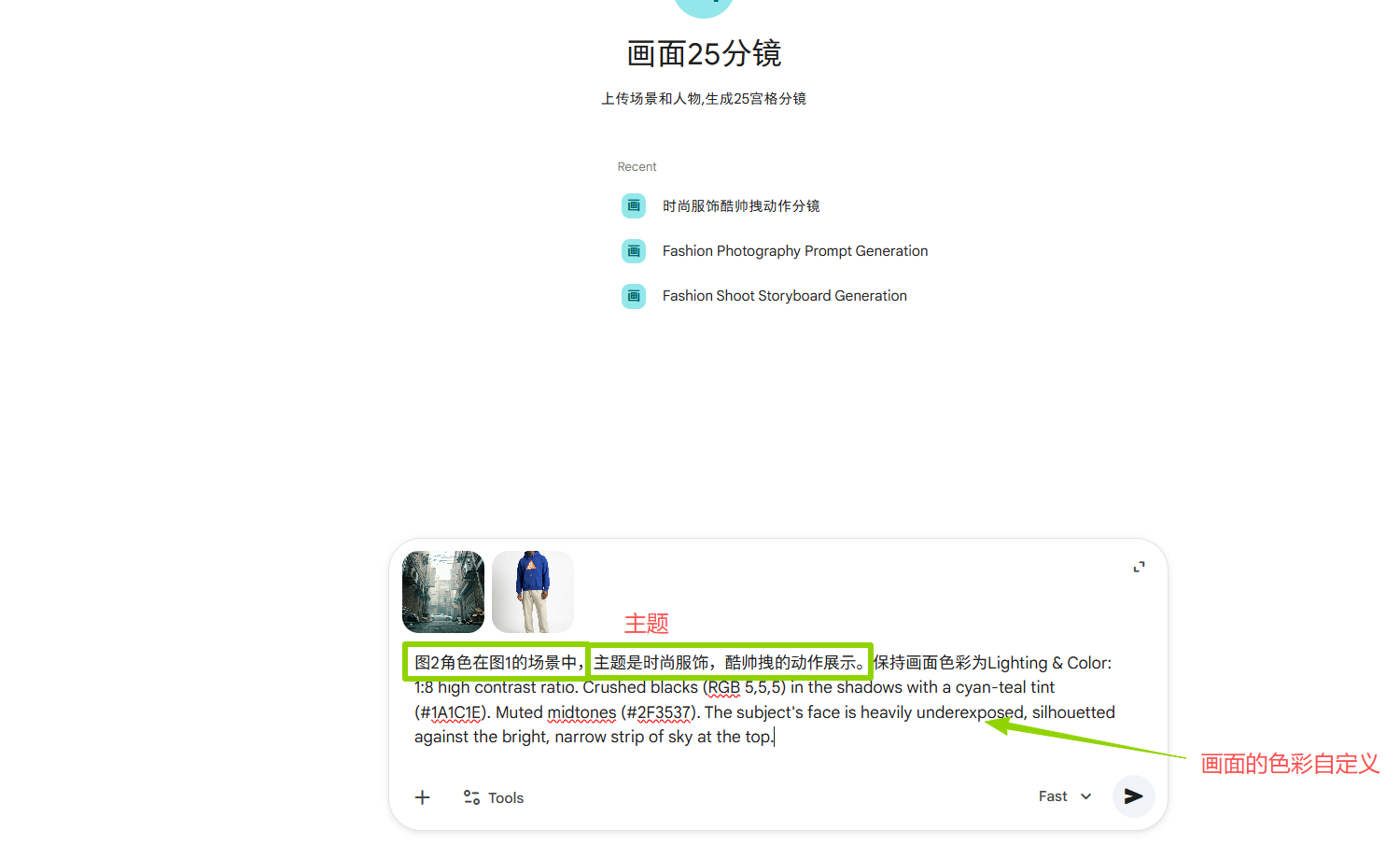
将三个场景都进行输入生成后,就能得到以下三段提示词:
第四阶段:高精分镜生成与优选
1.批量生成:
将我给的提示词依次输入 Nano Banana Pro(记得要上传场景,与人物进行生成)。
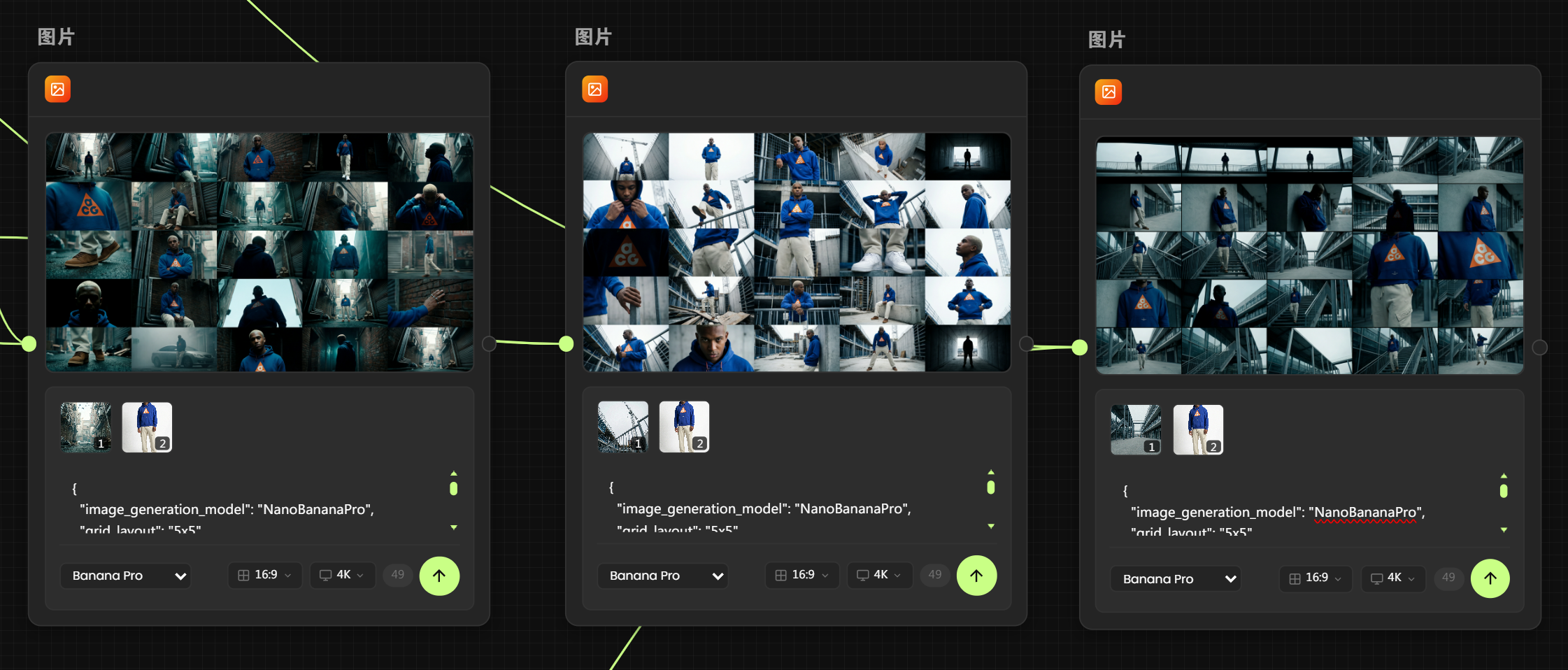
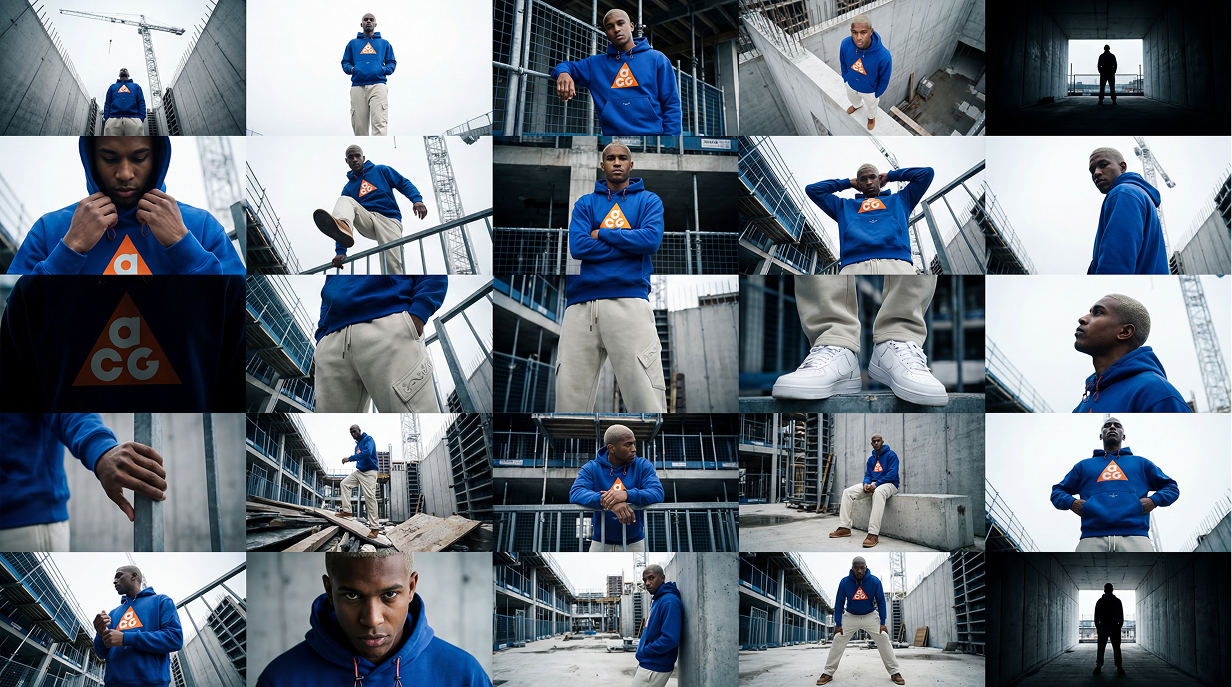
工业废墟
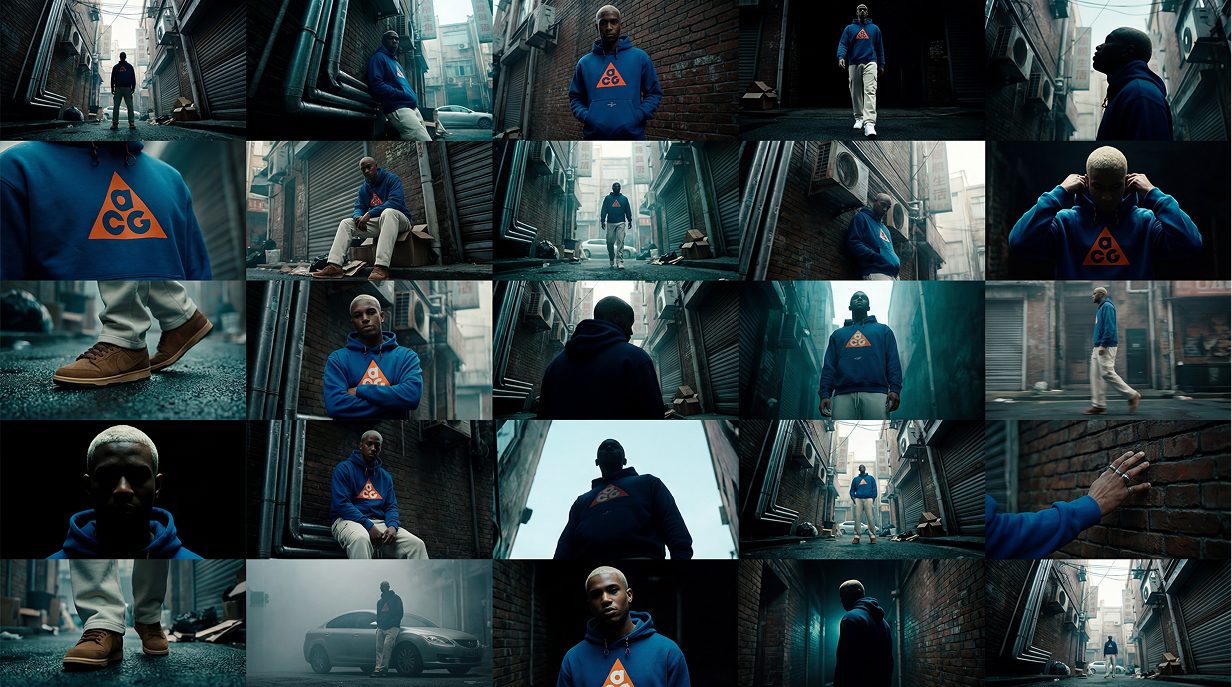
小巷
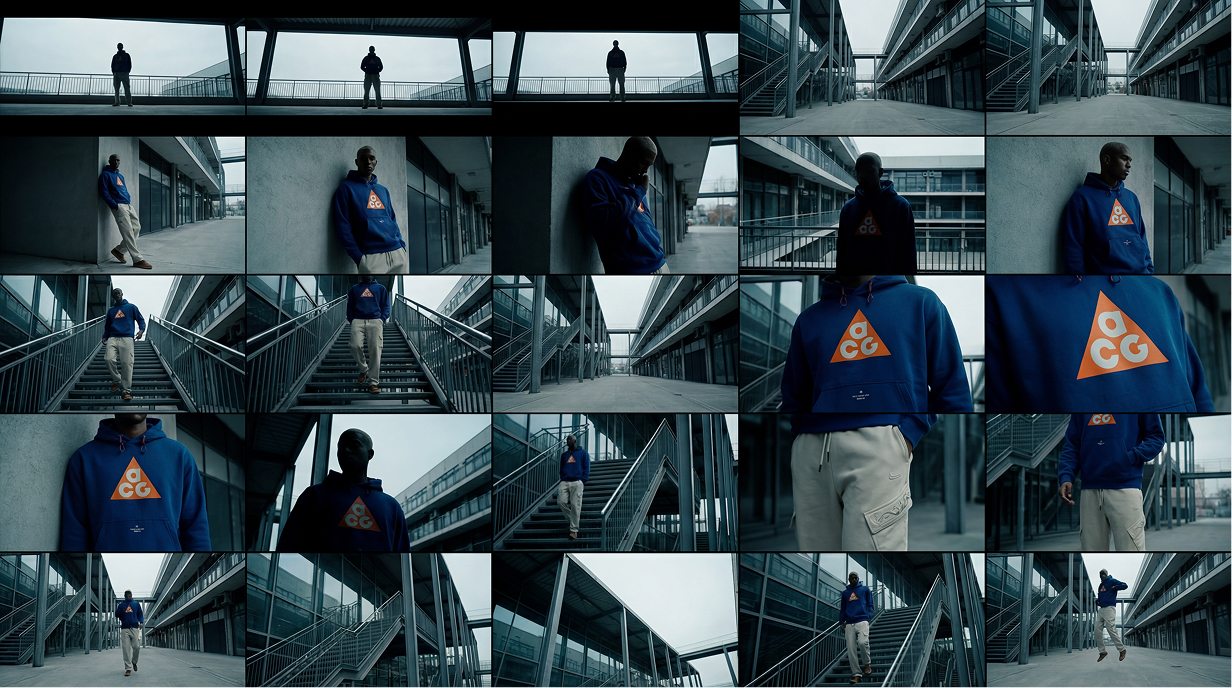
秩序园区
2.人工优选 :
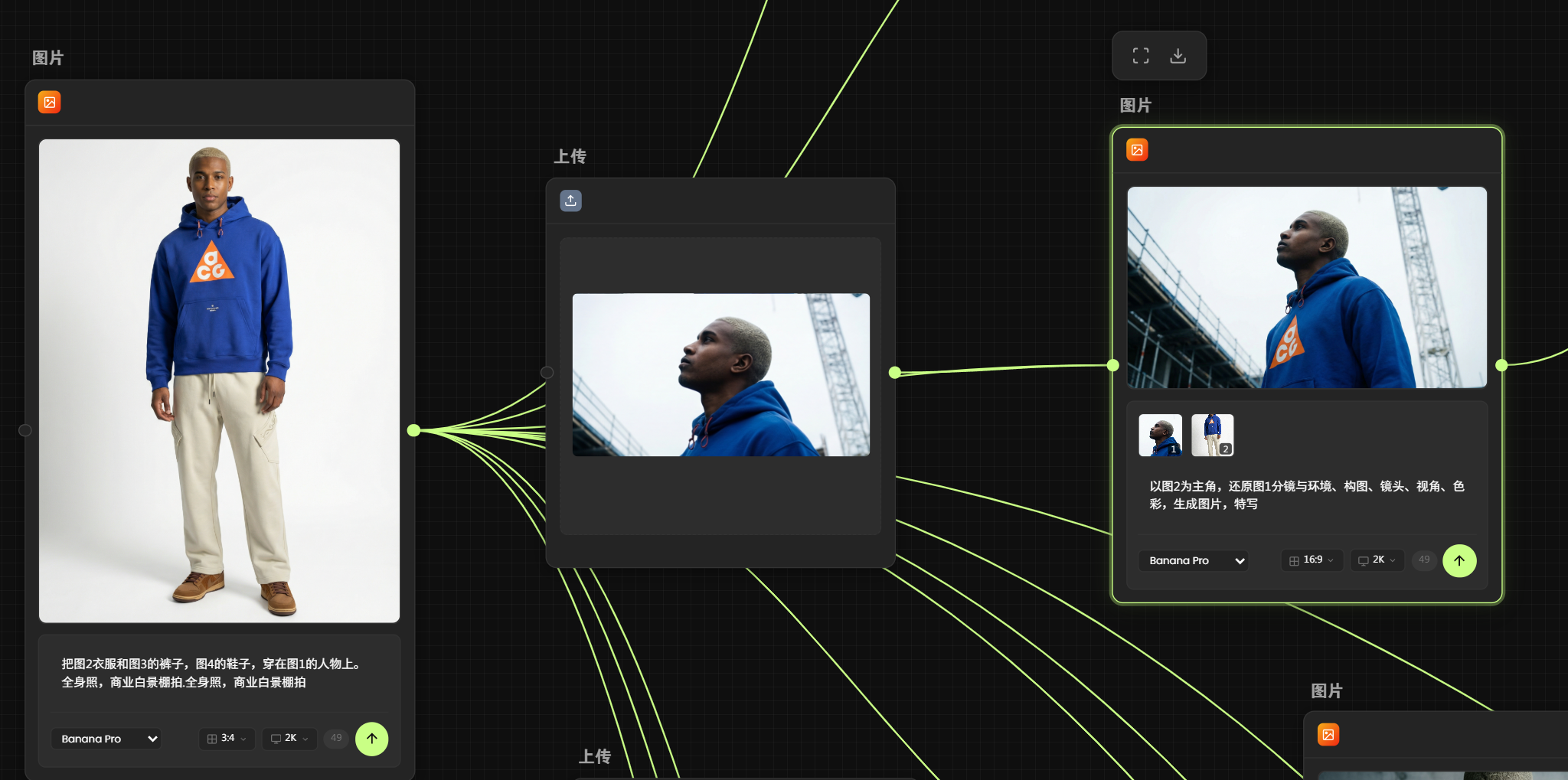
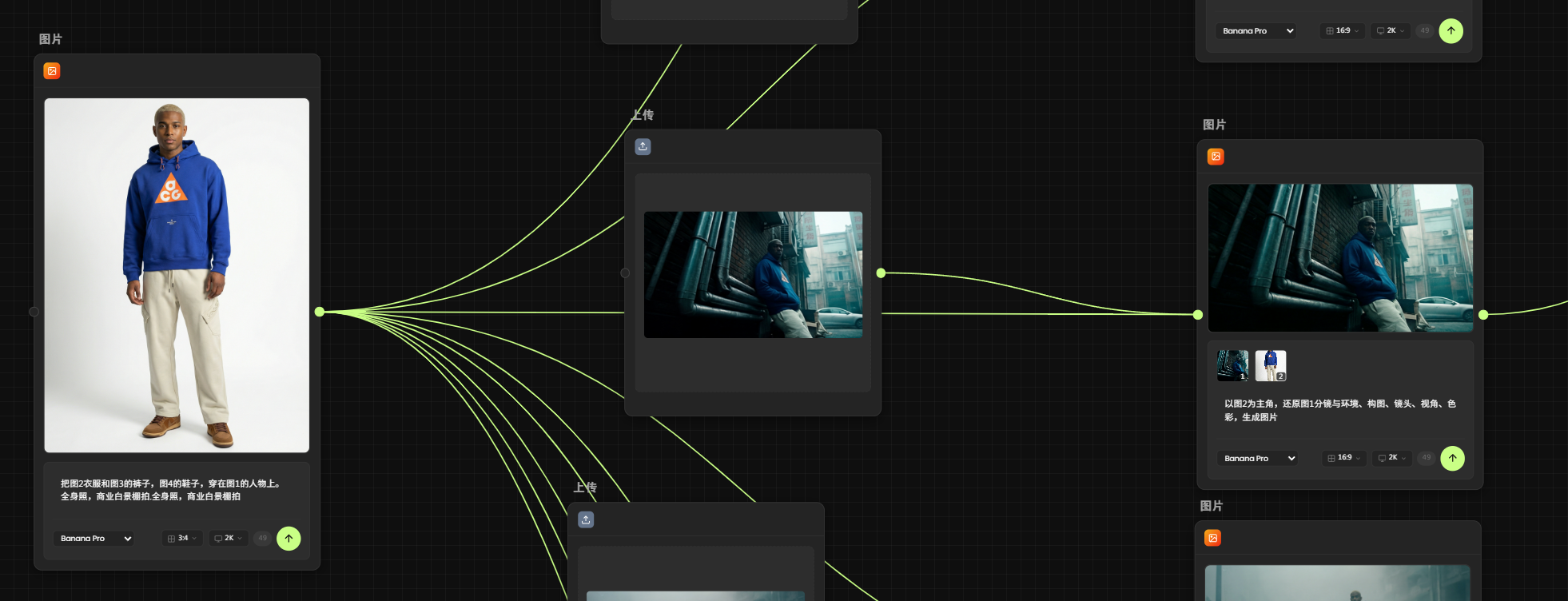
AI生成了上几十张底图,我从中挑选了构图最完美、光影最自然几张。进行裁剪后再次交给Nano banana pro进行生成。
3.高清重绘:
提示词:
特写,以图2为主角,还原图1分镜与环境、构图、镜头、视角、色彩,生成图片,
‘特写’可以根据图片自行更改,以达到你想要的效果
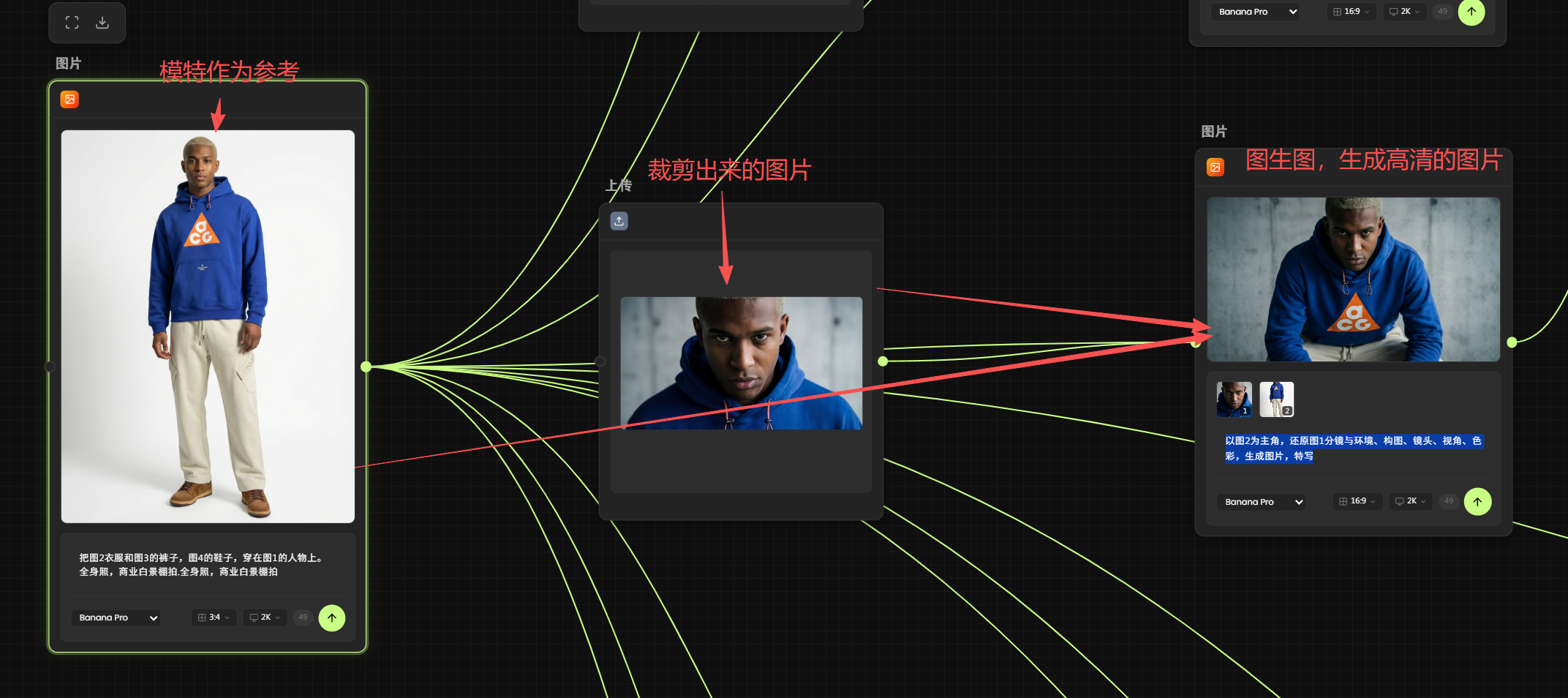
每张图都是这样操作
第五阶段:动态演绎与合成
静态图只是摄影,动起来才是视频。
图生视频: 将高清分镜导入视频生成模型。根据脚本要求,分别为每张图添加运镜(提示词在上面的工作流链接中可以直接查看)
剪辑合成:
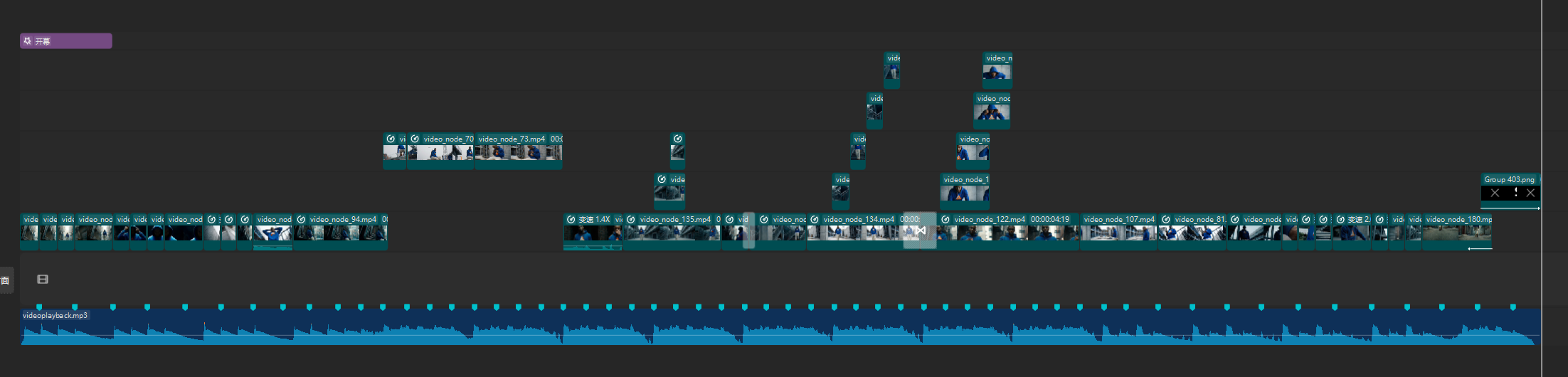
最后进行剪辑拼接
这是视频的BGM可以自取

【免责声明】 本课程内容仅为AIGC技术教学与案例分析之目的,所引用的品牌名称、商标、Logo、广告素材等均属各自权利人所有。本平台与所提及的任何品牌方不存在任何形式的合作、联名、代言或授权关系。课程内容仅供学习参考,不构成任何商业建议。如权利人认为内容涉及侵权,请联系我们(联系方式 WX:Xiaofengguwen010),我们将在核实后第一时间处理。
视频生成执行卡
把这节课压缩成一张可执行卡片:看重点、照步骤、避坑,再复制模板直接开做。
这节课不是先追求炫技成片,而是围绕「从零构建 Nike x Super-i 商业概念短片」先把主体、动作、镜头和节奏稳住。
按原文节奏走最稳:先吃透「准备工具」,再把「第一阶段:数字资产与虚拟试穿」定住,接着处理「第二阶段:场景美学构建」;最后用「第三阶段:AI导演与自动化脚本」收口。
- 先把「准备工具」里的主体和动作定死。
- 这一段重点看镜头和节奏,别急着炫技。
- 做完「第二阶段:场景美学构建」后,先查连贯性和穿帮。
- 先把「第三阶段:AI导演与自动化脚本」里的主体和动作定死。
- 做完「第五阶段:动态演绎与合成」后,先查连贯性和穿帮。
不要一上来就生成最终片;先拆镜头、定主体和运动,再逐段生成,否则容易跳轴、穿帮、节奏混乱。
检查主体是否稳定;镜头运动是否明确;前后画面是否连贯;节奏是否服务主题;是否有明显变形或穿帮。
请围绕「从零构建 Nike x Super-i 商业概念短片」帮我做一个可直接执行的方案。
我的目标是:【填写你的具体目标】
我的素材/产品/角色信息是:【填写已有素材和限制】

请输出:核心创意、分镜表、每个镜头的画面描述、视频生成提示词、剪辑顺序和成片自检清单。要求主体稳定、动作明确、镜头连贯。